Table of Contents
Training Mode
Training mode capability

Table of Contents
What can you do
The Training Mode feature allows administrators with the Manage User Accounts and Roles permission to require a quality check on user accounts who may need some time to understand indexing for a catalog. When Training Mode is toggled to active, when the user completes indexing on a batch the batch is sent back to INPUT with a status of QA. The documents in the batch are not available in Search until they have been reviewed by a user with a Quality Assurance (QA) permission.
When adding/editing a User
User accounts contain general information, global permissions, catalog permissions, and user settings. Instructions to add a new user are below.
- Click on Settings Icon (⚙️)--> Admin
- Go to Accounts + Permissions -> Users
- Click on Add New or select and existing user and click Edit
- Click the Training Mode toggle to enabled
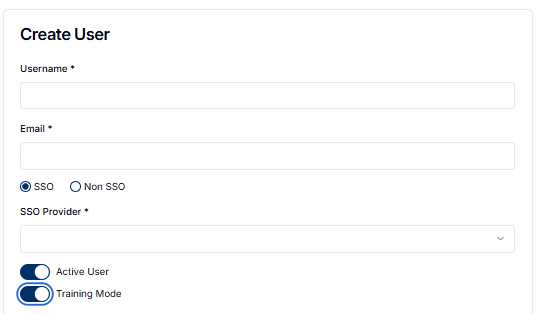
- Complete any other changes and click Save
What changes User
A user with training mode enabled will function in the system normally based on other role permissions. However, any indexing done will be routed back to INPUT with a status of QA for review by another user who has the Input - Quality Assurance(QA) permission.
User in Training Mode
- Opens a batch in INPUT
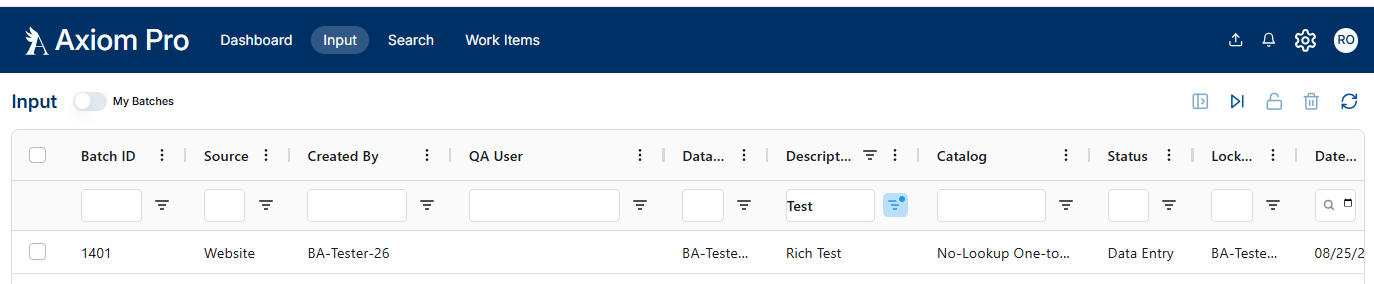
- Completes the indexing for the indexing for the batch
- Clicks Save
QA User
- Opens a batch in INPUT with status QA
- Completes the review of indexing
- Clicks Save
How did we do?
Single Sign-On Configuration